How To Add An Additional Phone Number To Duo
If your organizational account is already enrolled in Duo, and you would like to add a number for verification purposes, please follow the steps below:
• Go to usc.edu/office365
• Login using the NetID and password for the organizational account.
• On the Please Verify Your Identity page, select Settings.
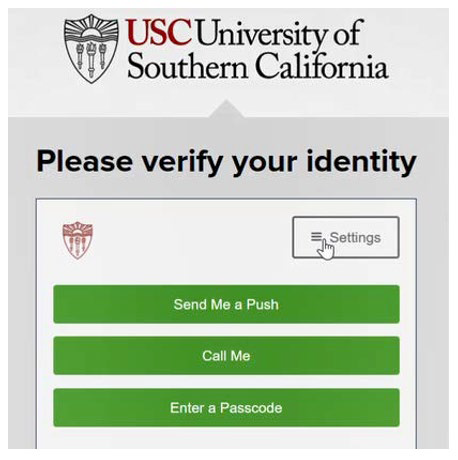
• Select Add a new device
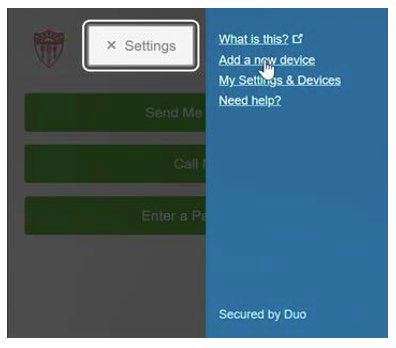
• Duo will require to verify your identity by contacting the device that was already added. Choose a verification method.
• After you verify your identity, select what type of device you will add.
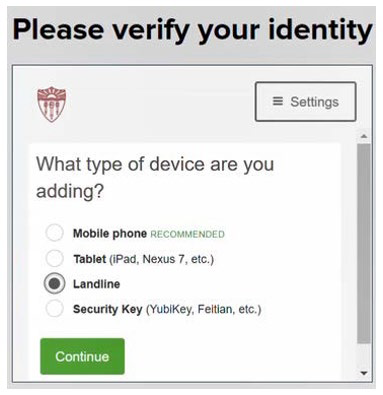
• Enter the phone number that you would like to add.
• Check the checkbox to confirm the correct phone number.
• Select Continue.
• You will see the phone number that is a part of the organizational account’s Duo.
• Scroll down and select Continue to Login.
• On the Please verify your identity page, select the phone number that you would like to use for verification.
0 Comments