1. In order to access Workday, please visit the USC Employee Gateway website: https://employees.usc.edu/
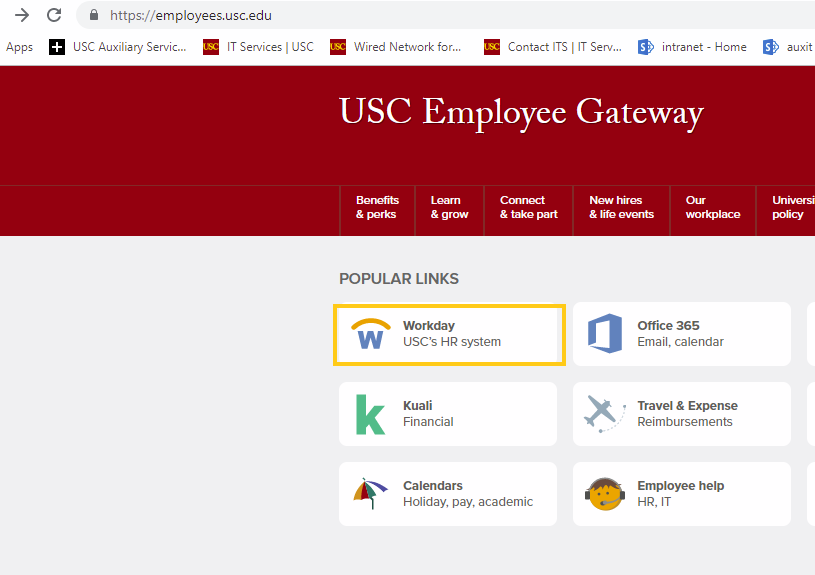
2. Then, enter your USC username and password/USC Shibboleth login information

3. From your Workday home page, click Personal Information
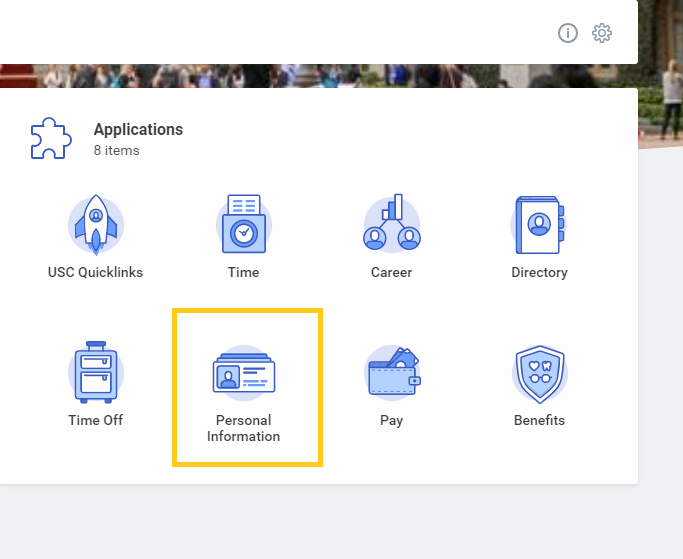
4. Select Emergency Contacts

5. Click Add to add a Primary Emergency Contact

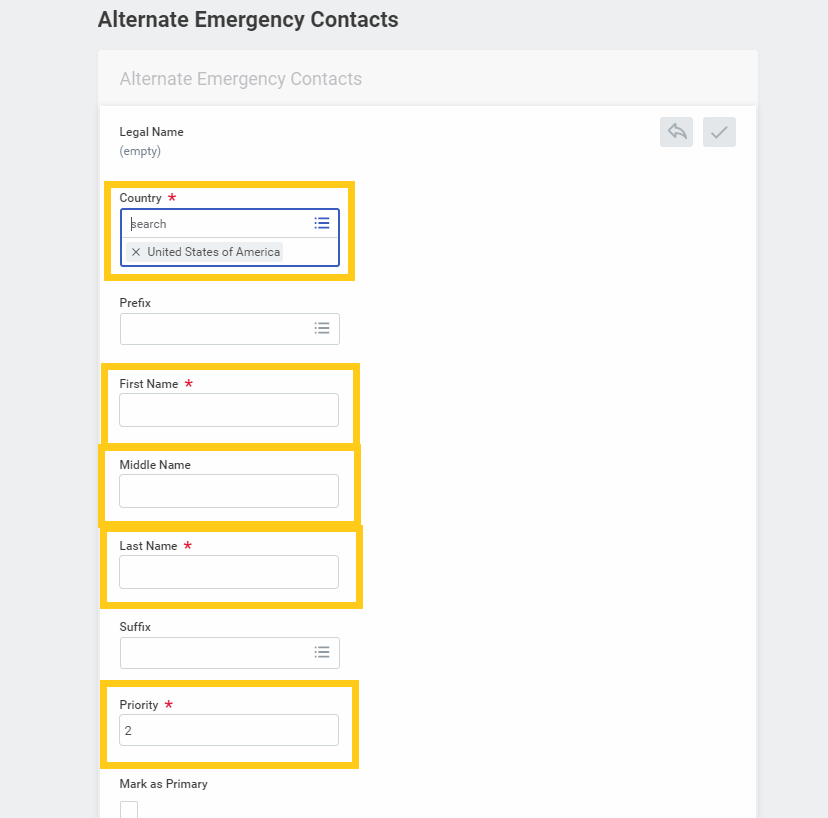
6. Enter the name of your contact
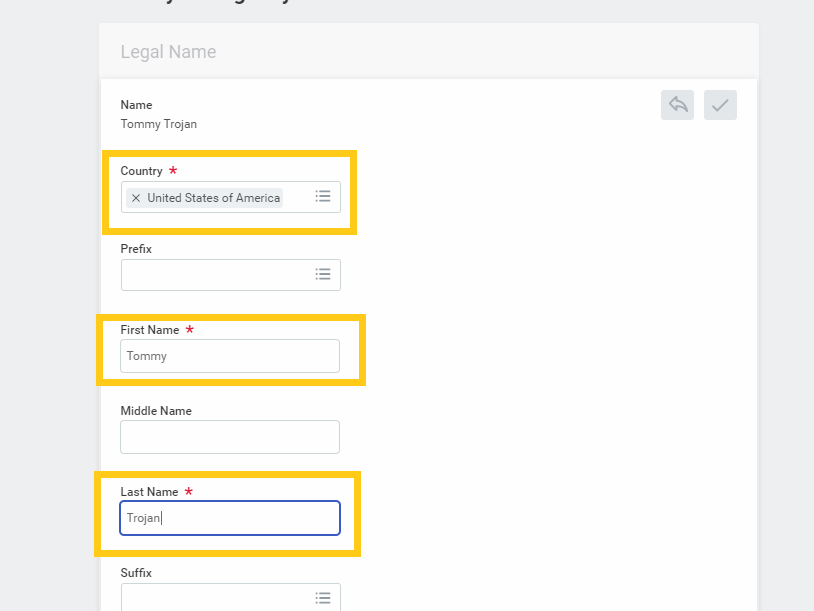
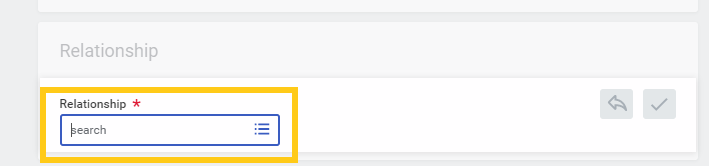
7. Enter the Relationship of your contact
8. Enter the Primary Address of your contact
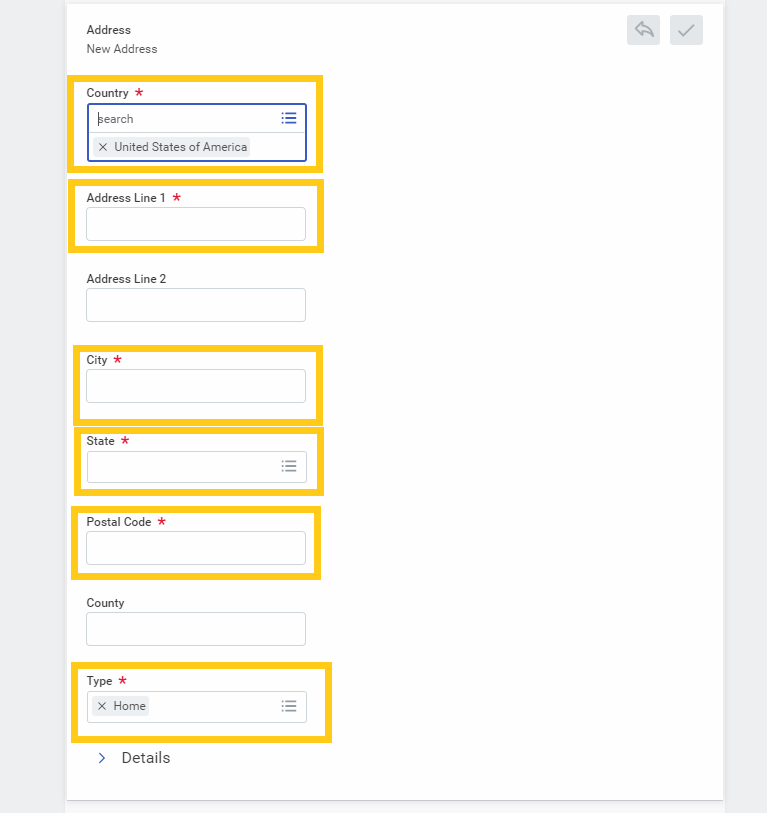
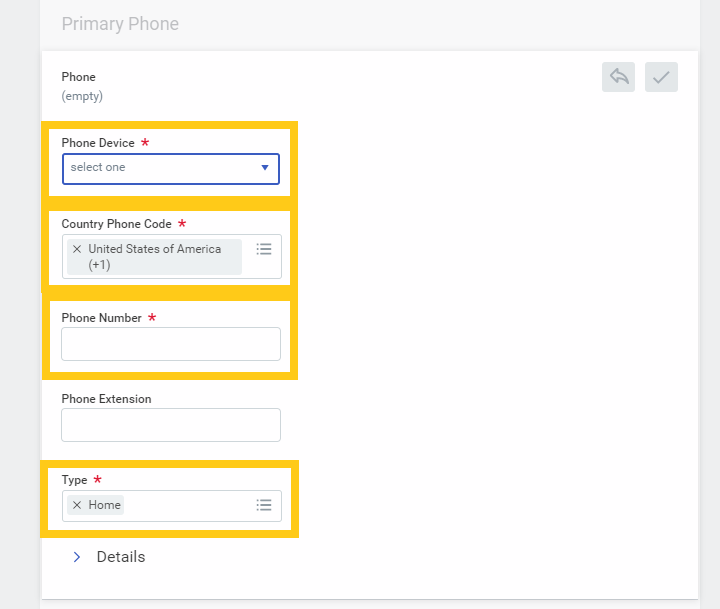
9. Enter the phone information of your contact
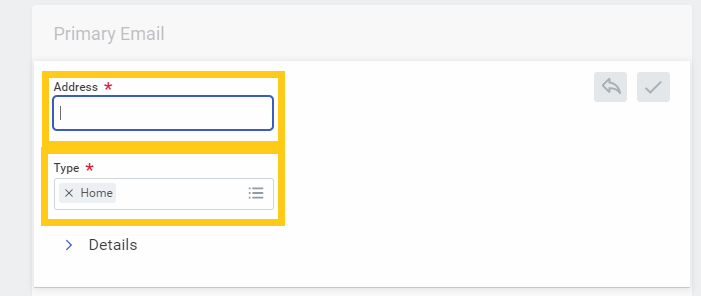
10. Enter the email information of your contact
11. Add an Alternate Emergency contact by clicking Add under the Alternate Emergency Contacts section, and fill contact information
12. Enter a Comment (optional) and click Submit

0 Comments